.png)


5 Benefits Of Cloud Processing For Small Businesses

With our Ekahau site survey services in DFW, we help businesses find Wi-Fi coverage gaps, interference, roaming issues, and access point placement problems before they interrupt the workday. We use wireless survey data to improve uptime, support productivity, reduce risk, and plan a network that is more reliable day to day.
Wi-Fi issues are measurable. Slow video calls, dropped connections, weak conference room coverage, and inconsistent warehouse connectivity usually come back to design, placement, interference, or capacity. We pinpoint what is causing the problem and where it shows up, so you can make practical fixes with confidence.

Ekahau site survey services in DFW are professional wireless assessments that measure, map, and improve Wi-Fi performance across business spaces. We use Ekahau to identify where coverage is strong, where it breaks down, and what needs to change.
This matters in Dallas-Fort Worth because every building behaves differently. A small office, medical clinic, school, warehouse, and multi-site environment each creates different wireless demands. Walls, shelving, device density, neighboring networks, and application needs all affect performance.
A professional survey gives you a clear view of signal strength, interference, channel use, roaming behavior, and access point placement.

We use Ekahau for Wi-Fi surveys because it gives us the visibility to design and validate a wireless network that works across the whole space. A strong signal in one room is not enough. What matters is how the network holds up for real users, real devices, and real day-to-day work.
It helps us answer the practical questions before they turn into bigger problems. Where should the access points go? Which areas have weak coverage, or too much overlap? Is interference from nearby networks getting in the way? Will the network handle video calls, voice traffic, scanners, mobile devices, or a busy meeting room with a lot of people online at once?
That is where the value comes from. We are not guessing, and we are not adding hardware without a plan. We can find the actual cause of performance issues and recommend changes that make sense for the space and the way it is used.

A professional Ekahau Wi-Fi survey helps us see how your wireless network is actually performing, not how we hope it is performing. We start by reviewing your floor plan, your current access point locations, the issues users are reporting, the applications your business depends on, and any growth you are planning for.
Once we are on site, we gather wireless data in the places where people really work. That might be at desks, in conference rooms, down hallways, at the front desk, inside inventory areas, across classrooms, or through warehouse aisles. Real use matters here.
We use that information to evaluate coverage, interference, channel overlap, roaming behavior, access point placement, and overall capacity needs. Then we pull it all into a clear report that shows what should change, why it matters, and how each recommendation supports a more stable wireless environment.

When we look at Ekahau versus NetSpot, the better choice usually comes down to three things: the size of the environment, how complex the Wi-Fi needs are, and how much risk there is if the network underperforms.
For simpler spaces, NetSpot is often enough. We can use it to visualize coverage, spot weak areas, and compare signal levels without getting too deep into design work. In a home, a small office, or a basic troubleshooting situation, that can be perfectly fine.
Ekahau starts to make more sense when the network matters more to daily operations. If we are dealing with multiple access points, roaming, higher device counts, voice or video traffic, or future growth, it gives us better data to plan and validate the environment properly. That extra detail matters when the goal is long-term stability, not just a quick read on signal strength.
So really, NetSpot works well when the issue is straightforward and the network is fairly simple. Once we are adding access points, redesigning coverage, supporting voice over Wi-Fi, or trying to solve repeated user complaints, Ekahau is usually the more useful tool.

The best app for home Wi-Fi analysis on Android is usually a simple Wi-Fi analyzer that shows signal strength, nearby networks, and channel congestion. For home use, the goal is to find weak rooms, reduce congestion, and place the router or mesh nodes more effectively.
Android apps can help you compare one room against another. They can also show whether nearby networks are crowding the same channels.
Google’s Android Developers documentation says Wi-Fi RTT can measure distance to nearby RTT-capable access points and peer devices, and Android notes that measuring three or more access points can estimate device position with typical accuracy within 1 to 2 meters.
That fact is useful, but it does not make every Android phone a professional survey tool. Device hardware, permissions, app quality, and access point support all affect what an app can measure.
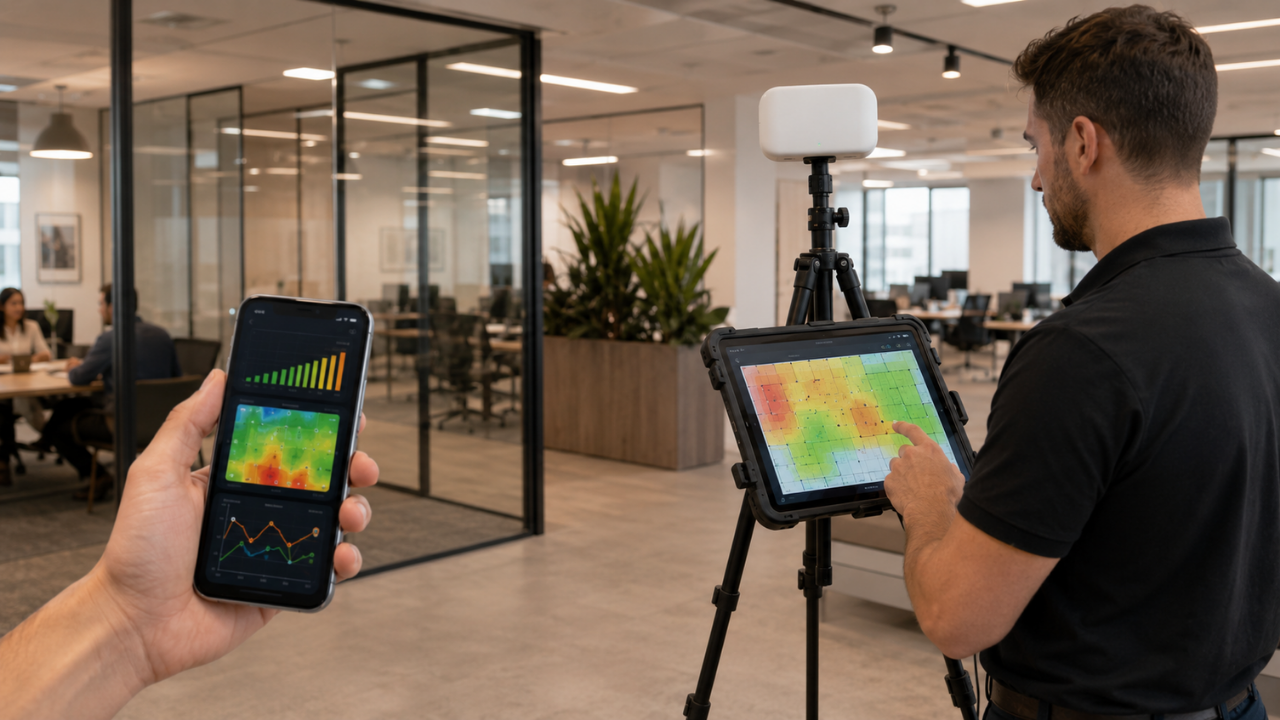
We would not treat an Android Wi-Fi analyzer as a substitute for a professional wireless survey in a business setting. It can help with basic troubleshooting. It might show us that a room has a weak signal or that a channel is crowded. That is useful. But it does not give us the same level of design detail, reporting, or engineering context.
A phone app can point out symptoms. It usually cannot tell us the full story. It will not fully explain roaming issues, access point overlap, hidden interference, or whether the network can actually support business-critical applications.
For home use, an Android app can be a helpful tool. For a DFW business, especially one relying on cloud systems, VoIP, point of sale devices, scanners, cameras, or compliance requirements, a professional survey is still the safer choice.

We see Wi-Fi 6E and Wi-Fi 7 making wireless surveys even more important. These newer standards have real upside, but only if the network is designed for the space it needs to cover. If we upgrade access points without checking the environment first, we can still end up with coverage gaps, interference, and capacity that never gets used the way it should.
Cisco explains that Wi-Fi 6E extends Wi-Fi 6 into the 6 GHz band, and the FCC approved the 6 GHz band for unlicensed use in the United States in April 2020.
Newer standards can help performance, but the environment still matters. Walls, floor plans, client devices, power settings, access point placement, switching, and cabling all shape the result.

We use Ekahau site surveys to turn wireless performance into measurable data and practical next steps. That gives owners, operations leaders, IT managers, and compliance-minded teams a clearer way to see what needs attention first.
Wireless issues have a habit of looking like something else. Sometimes they show up as device trouble. Sometimes they feel like an internet problem, an application problem, or just general user frustration. Survey data helps us separate those possibilities and find the real cause, whether that is weak coverage, poor roaming, interference, overloaded access points, or a design that no longer fits the space.
It also supports a more proactive IT roadmap. Instead of reacting to the same complaints again and again, we can plan access point placement, equipment refreshes, and configuration changes with much more confidence.

Before we schedule a Wi-Fi survey, we ask you to gather a few basics. A current floor plan is a big help. So are details on your access points, the weak spots people notice most, and a list of the business-critical applications your team depends on every day. That gives us a much clearer picture of what is affecting your operations.
If you have them, send over your latest floor plan, device counts, current access point locations, and any areas where coverage or performance drops off. It also helps to know about upcoming office changes, like moves, remodels, or layout updates. We want to understand how your space works now and what may change next.
We also need to know which workflows rely on Wi-Fi. That might include video meetings, cloud apps, VoIP, scanners, mobile devices, guest access, or point of sale systems. We are not just measuring signal strength. We are helping you plan a wireless network that supports secure operations, stable performance, and the long-term needs of your business.
For professional Wi-Fi design and validation, we usually prefer Ekahau. It gives us stronger tools for business surveys, planning across multiple access points, and confirming that the network performs the way it should after deployment.
NetSpot still has its place. For a home setup or a small office that just needs a simple coverage check, it can be a useful option.
Sometimes they do. If Wi-Fi problems keep coming back, meetings drop, users complain about the same rooms, or an upgrade is coming, a professional survey is often worth it.
We think a basic DIY review can be a reasonable first step for a small office. But when the same issues keep resurfacing, professional analysis usually saves time and guesswork.
The best Android app is usually the one that makes the basics easy to see. We want clear signal strength, nearby networks, and channel congestion without a lot of clutter.
For business use, Android apps are helpful for a quick check. We would not use them on their own to make major design decisions.
A professional Wi-Fi site survey gives us the visibility to build a more reliable wireless network. Tools like NetSpot and Android Wi-Fi analyzers are fine for basic checks, but Dallas Fort Worth businesses usually need a deeper look when Wi-Fi starts affecting productivity, uptime, security, or growth.
If your business is planning a network upgrade or dealing with recurring Wi-Fi issues, we can help you take a closer look. We provide detailed wireless surveys, practical recommendations, and support that keeps your operations moving.
Contact us today to schedule a Wi-Fi survey and get your network performing at its best.

Protect against loss and crisis.