.png)


5 Benefits Of Cloud Processing For Small Businesses

TL;DR — 24/7 Network Monitoring Services in Dallas: SLAs, Managed IT Onboarding, and What to Expect
In this article, we break down what you should know before relying on managed IT support. We explain how 24/7 network monitoring helps us spot issues early, what your managed IT service level agreement should clearly include, and how a strong onboarding process prepares you for reliable support from the start.

Our 24/7 network monitoring services in Dallas help us keep watch over the systems your business depends on, even after hours. We monitor for outages, performance issues, device failures, backup problems, and security alerts so you have better visibility and fewer surprises.
Depending on your environment and managed IT agreement, our monitoring may cover servers, firewalls, switches, wireless access points, internet connections, backups, endpoints, cloud systems, and security tools. We tailor the scope to what you actually use and what matters most to your operations.
The real value is early awareness. If a firewall goes offline overnight or a backup keeps failing, you should not have to find out when your team arrives the next morning. We use monitoring to spot issues sooner, reduce downtime, and help your team respond before a small problem turns into a larger disruption.

24/7 monitoring matters because many IT problems start quietly, long before anyone submits a help desk ticket. We take it seriously because those early warning signs can create risk if no one is watching.
A disk starts to fail. A switch gets overloaded. An access point drops offline. A certificate is getting close to expiring. A backup is missed. A login pattern looks unusual.
None of that may be visible to your team right away, but each issue can create risk if no one is watching.
If you run a Dallas business that depends on cloud applications, phones, Wi-Fi, payment systems, legal files, financial data, or client communications, downtime is more than an inconvenience. It can interrupt work, delay service, frustrate clients, and create stress your staff did not need.
Our role is to catch the early warning signs, help reduce disruption, and keep your systems more reliable day to day.

Network monitoring should include the systems and alerts that matter most to business continuity. A practical monitoring plan may include firewall uptime, switch health, access point status, server resources, endpoint protection, storage capacity, backup completion, cloud service alerts, and internet connectivity.
The monitoring plan should also define alert severity. Not every alert needs the same response. A low disk warning, failed backup, server outage, and suspected security event require different timelines and escalation paths.
We also look for reporting. Monitoring is more useful when the business can identify patterns over time, such as recurring internet outages, aging equipment, backup trends, or recurring endpoint issues.

A managed IT service level agreement, often called an SLA, is a written agreement that defines support expectations between the business and the managed IT provider. The SLA should explain what is covered, how requests are prioritized, response targets, escalation rules, support hours, exclusions, and reporting.
An SLA should be specific. “Fast support” is not enough. A better agreement defines how urgent issues are handled, what qualifies as critical, when after-hours support applies, and how communication will work during an incident.
The SLA should also clarify responsibilities. Some systems may be fully managed. Others may be vendor-supported, co-managed, or excluded. Clear responsibility prevents confusion when something breaks.

When we put a managed IT services SLA together, our goal is simple. We want it to reduce uncertainty.
A strong SLA should clearly define the service scope, ticket priorities, response targets, escalation steps, monitoring responsibilities, maintenance windows, security responsibilities, reporting cadence, and what we need from you to keep support moving.
It should answer the practical questions that come up once support begins.
The best SLAs are clear enough that both sides know what to expect before there is pressure. If the agreement is too vague, support expectations become harder to manage, especially during urgent issues. We prefer to define those details early, so you know how support works, what is covered, and how we respond when something needs attention.

Monitoring connects to cybersecurity response by helping detect suspicious activity, failed controls, and system changes that may need investigation. Monitoring does not replace cybersecurity, but it supports faster detection and better decision-making.
NIST’s incident response guidance emphasizes preparation, detection and analysis, containment, eradication, recovery, and post-incident activity as core parts of incident handling. Monitoring supports the detection and analysis portion by giving technicians data to review when something looks wrong.
For small and mid-sized businesses, this can include endpoint alerts, suspicious sign-ins, firewall events, backup failures, or unusual system behavior. The goal is not to create noise. The goal is to identify the alerts that matter and respond with ownership.
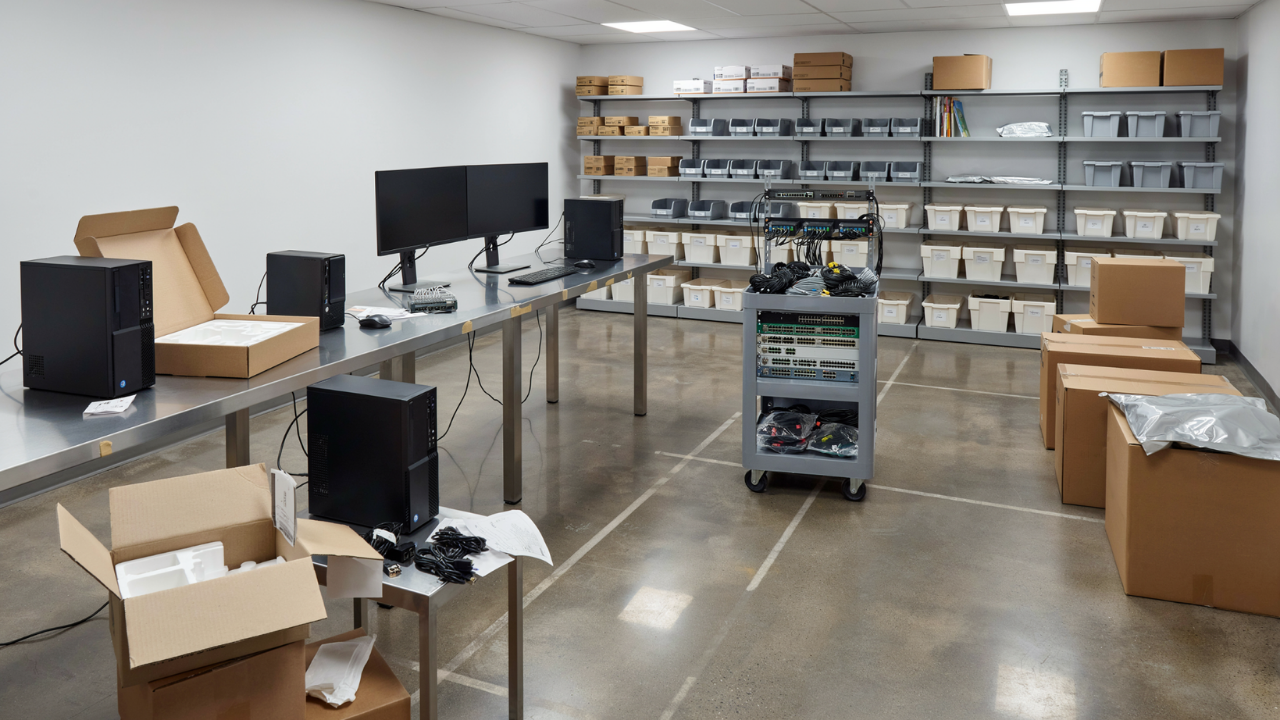
When we onboard a new managed IT client, we treat it as a structured handoff. It gives us the information, access, and documentation we need to support you well from the start.
We see onboarding as one of the most important parts of managed IT. If it is rushed or incomplete, support slows down later. Small gaps turn into delays. Missing access creates friction. Poor documentation makes every issue harder than it needs to be.
A strong onboarding process usually includes discovery, documentation, access review, tool deployment, backup review, security review, vendor inventory, user audit, network assessment, and support process setup.
But good onboarding is not just about collecting passwords and installing tools. We need to understand how your business actually works. Different departments may rely on different applications. Locations may have different network needs. Workflows may depend on specific vendors, devices, or approval steps.
The goal is to give us a clear picture of your environment so we can support it with less guesswork, faster response times, and better insight into what’s most important to your team.

When we onboard a managed IT environment, we need clarity on how your business runs and what your team depends on every day.
That means we document your environment from end to end. We capture who uses your systems and which devices and servers support them. We map how your cloud accounts and business applications are configured. We also identify the providers, vendors, backups, licenses, security tools, and business priorities that keep operations moving.
From there, we gather the practical details our support team needs to move quickly. We confirm administrator access and warranty information. We document vendor contacts and network diagrams. We record firewall settings and Wi-Fi configurations. We also capture backup schedules, endpoint inventory, and key application details.
Good documentation makes support faster and less frustrating. When you call with an issue, our team should not have to start from zero. We should already understand your systems, know who owns what, and have the information needed to respond clearly and quickly.
The goal is simple. We want your environment documented well enough that support feels prepared, not reactive.

We encourage Dallas businesses to look closely at monitoring, SLAs, and onboarding before choosing a managed IT provider. Those three areas tell you a lot about what support will actually look like after the agreement is signed.
A long service list does not mean much if alerts are missed, response expectations are unclear, or onboarding is rushed. Ask how monitoring alerts are reviewed. Ask who gets notified after hours. Ask how SLAs are tracked and reported, and what documentation gets created during onboarding.
It is also worth asking how the provider handles inherited problems, aging equipment, missing passwords, and systems that were never properly documented.

24/7 network monitoring, clear SLAs, and a structured onboarding process all support the same goal. Reliable, accountable IT that your business can count on day to day.
Monitoring gives us clearer insight into your environment. The SLA sets clear expectations for response times, communication, and follow-through. Onboarding gives our support team the documentation we need to respond faster, reduce guesswork, and lower risk.
If your Dallas business needs managed IT support with clearer monitoring, stronger accountability, and a smoother start, we can take a practical look at where things stand today. We’ll review your current environment, identify support gaps, and help you build an IT plan that keeps your business running.

Protect against loss and crisis.