.png)


5 Benefits Of Cloud Processing For Small Businesses

RF (short for radio frequency) means the radio-wave signals Wi-Fi uses to send and receive data through the air. Professional Wi-Fi surveys in Dallas-Fort Worth are structured wireless assessments that map coverage, interference, and capacity in your specific environment, so your network performs reliably for the people and devices that actually use it. A proper survey helps you place access points correctly, avoid RF problems, and validate that the finished Wi-Fi matches the performance you planned for.
In DFW, this matters even more because so many commercial spaces include signal-hostile features: concrete cores, metal shelving, high-ceiling warehouses, multi-tenant interference, and dense device counts in offices, clinics, and retail.
The guide explains what a wireless site survey is, the main survey types, and the business benefits of hiring a professional to design and validate Wi-Fi coverage, capacity, and roaming.
Key Takeaways:
● Better Wi-Fi starts with measuring RF behavior, not guessing access point counts.
● Surveys solve the root cause of dead zones, interference, and roaming issues.
● Predictive surveys plan coverage; passive surveys reveal RF reality; active surveys validate user experience.
● Professional surveys reduce rework and downtime during installs and expansions.
● Survey deliverables become your Wi-Fi “source of truth” for upgrades later.
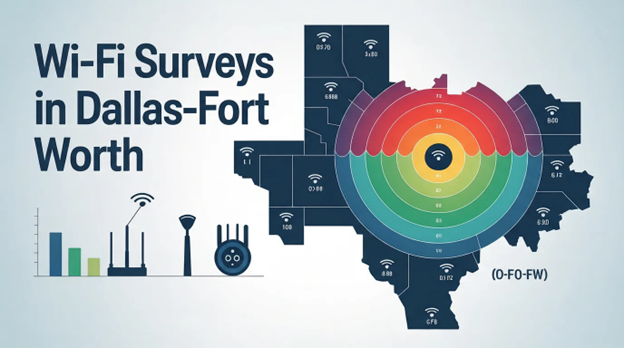
A wireless site survey is a structured analysis of the radio frequency environment where Wi-Fi will operate so you can plan access point placement and confirm coverage and performance. A strong plain-English definition is that a site survey analyzes the RF environment of the area where Wi-Fi is deployed and helps determine where to install access points.
In practice, a survey answers questions like: “Where will Wi-Fi be weak?”, “What interference exists?”, “Will voice/video roam cleanly?”, and “Do we have enough capacity for peak demand?”

A professional wireless site survey measures the things that directly impact real user experience:
● Signal strength and coverage (where clients can reliably connect)
● Signal-to-noise (how clean the environment is for stable performance)
● Interference sources (Wi-Fi and non-Wi-Fi noise)
● Channel overlap and contention (how much APs fight each other)
● Roaming behavior (how devices move between APs)
● Capacity pressure (whether density, not signal, is the real problem)
When you only add another AP, you might increase contention and make performance worse. Measurement prevents that spiral.
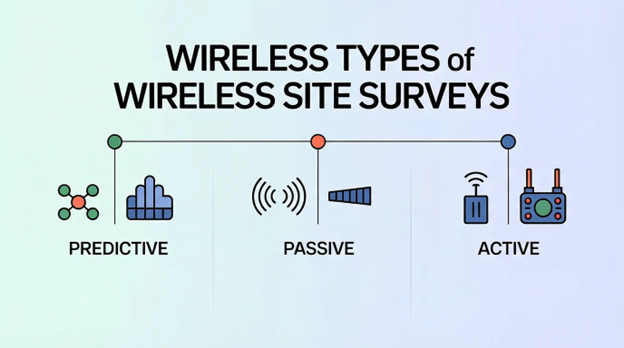
The three main types of wireless site surveys are predictive, passive, and active, and a complete approach often uses more than one depending on whether you’re planning, troubleshooting, or validating. Cisco’s site survey guidelines break these three survey types out directly and explain how they’re used in WLAN deployments.
Here’s what each one is best for:
● Predictive survey: Planning before the space is fully built out or before equipment is installed. Uses floor plans plus assumptions about materials and AP models.
● Passive survey: Listening to the environment (without associating to the Wi-Fi) to map RF coverage and identify rogues/interferers.
● Active survey: Connecting to the Wi-Fi to validate performance metrics like throughput and application-level behavior.

A wireless site survey is used to reduce risk in deployments where Wi-Fi is business-critical—meaning downtime, poor roaming, or low performance directly hits revenue, operations, or customer experience.
Common business use cases in Dallas-Fort Worth include:
● Office build outs and expansions (new floors, new suites, mergers)
● Warehouses and distribution (high ceilings, long aisles, scanners, forklifts)
● Healthcare and clinics (reliable roaming, device isolation, uptime)
● Retail and hospitality (guest + POS separation, peak density swings)
● Schools and training facilities (high concurrency, roaming, testing days)
● Outdoor or mixed environments (courtyards, loading docks, patios)

The benefits of a professional wireless site survey for business include fewer outages, fewer user complaints, and a network that scales without constant patch jobs.
The biggest real-world benefits usually show up as:
● Fewer dead zones and weak-signal areas that trigger reconnects and dropped calls
● More consistent performance because AP placement matches actual propagation
● Better roaming so VoIP, video meetings, and mobile workflows don’t stutter
● Lower long-term cost by avoiding rework, extra cable runs, and replacement installs
● Cleaner upgrades later because you have a baseline map and validation method
If Wi-Fi supports revenue, compliance, or operational speed, the survey often pays for itself by preventing slow-burn productivity loss.

You should hire a pro instead of doing a DIY Wi-Fi assessment when the cost of being wrong is high, the environment is complex, or the performance requirements are strict.
A professional survey is typically worth it when you have:
● More than a small office footprint
● High client density (dozens to hundreds of concurrent devices)
● Warehouses, metal racks, or industrial equipment
● Voice/video roaming requirements
● Multiple SSIDs/VLANs and security segmentation needs
● Complaints you can’t reproduce consistently
DIY tools can be helpful for quick visibility. They’re rarely enough for designing coverage and capacity you can stand behind.
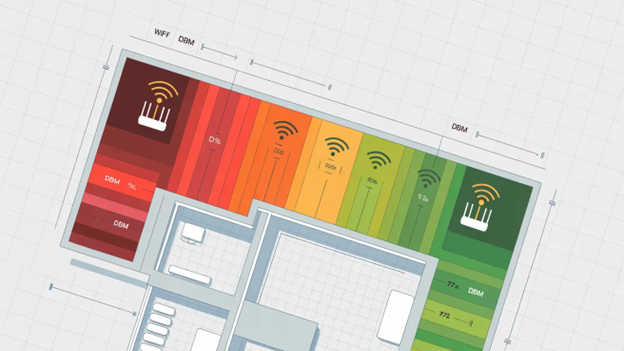
A professional Wi-Fi survey deliverable should give you both a plan and a way to prove it worked.
In plain terms, you want:
1. A recommended AP placement plan (locations + mounting guidance)
2. A channel and power strategy (especially for dense environments)
3. Heatmaps (coverage, noise, overlap—what matters for your goals)
4. Risk notes (interference, construction materials, neighbor Wi-Fi)
5. A validation approach (how to confirm the build meets targets)
If a provider can’t clearly explain what you’ll receive at the end, that’s a red flag.
An example Wi-Fi survey scoping table helps you ask for the right type of survey (and avoid vague quotes).
How long does a professional Wi-Fi survey take?
A professional Wi-Fi survey typically takes anywhere from a few hours to a few days depending on square footage, complexity, and whether you’re doing predictive planning, on-site measurement, or post-install validation. A small office might be done quickly, while warehouses and multi-floor sites take longer because walking paths, density zones, and mounting constraints matter.
Will a survey help if my Wi-Fi is mostly fine but sometimes slow?
A survey will help if your Wi-Fi is “mostly fine” but sometimes slow because intermittent slowness is often caused by congestion, interference, or roaming behavior, not just signal strength. A good survey separates coverage problems from capacity problems, so fixes are targeted instead of random.
Do I need a survey if I’m just adding a few access points?
You may still need a survey if you’re adding access points because adding APs without a plan can increase co-channel interference and reduce performance. Even a lightweight validation survey in the affected areas can prevent you from fixing coverage while accidentally breaking capacity.
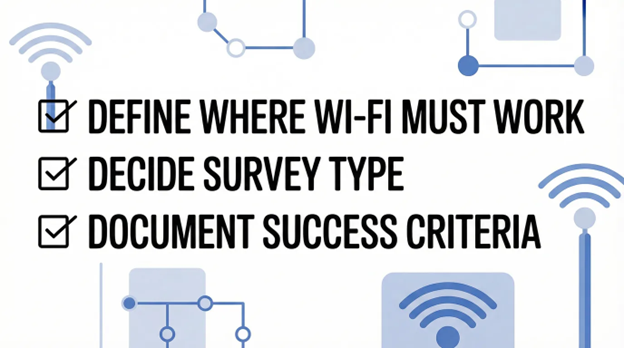
A Wi-Fi survey checklist includes:
● Define where Wi-Fi must work (zones and edge areas)
● List applications (voice, video, POS, scanners)
● Estimate peak device counts per zone
● Identify construction materials and obstacles
● Decide survey type (predictive, passive, active)
● Require a post-install validation step
● Document success criteria (speed, roaming, coverage)

Professional Wi-Fi surveys in Dallas-Fort Worth reduce guesswork by measuring the RF reality of your building and matching the design to your coverage, roaming, and capacity needs. The result is a Wi-Fi network that performs consistently and is easier to support over time.
If Wi-Fi is tied to productivity, customer experience, or operational uptime, a professional wireless site survey is one of the simplest ways to prevent expensive rework later—and to make upgrades predictable instead of painful.
Reach out to us today if you want help scoping or validating a business Wi-Fi survey in DFW.

Protect against loss and crisis.